The Lowest Power Boat Network
Queen of Hearts has several Wi-Fi capable devices that need to communicate with each other and the internet. My Garmin Cortex hub connects to iPhones and iPads for NMEA data in Garmin Boating app (formerly Navionics). My Victron Cerbo benefits from an internet connection to sync with Victron's servers, and I need remote access to all these devices whether I'm at home or at a marina.
The challenge was finding a solution that could handle all of this without excessive power draw. I didn't want to use the Cortex itself as a Wi-Fi host because I needed to assign static IP addresses to my devices to make them easier to reference. What I needed was a device that could: join an external Wi-Fi network (home network when the boat sits in the driveway over winter, or marina Wi-Fi when cruising), create its own downstream network with static IP addresses, share that internet to all devices, and provide VPN access from anywhere.
Here's how I've got the network configured:
| IP Address | Device |
|---|---|
| 10.0.0.1 | GL.iNet Shadow (router) |
| 10.0.0.2 | Cortex (port 39150 TCP) |
| 10.0.0.3 | Victron Cerbo |
| 10.0.0.4 | Pi Zero 2 W (Tailscale) |
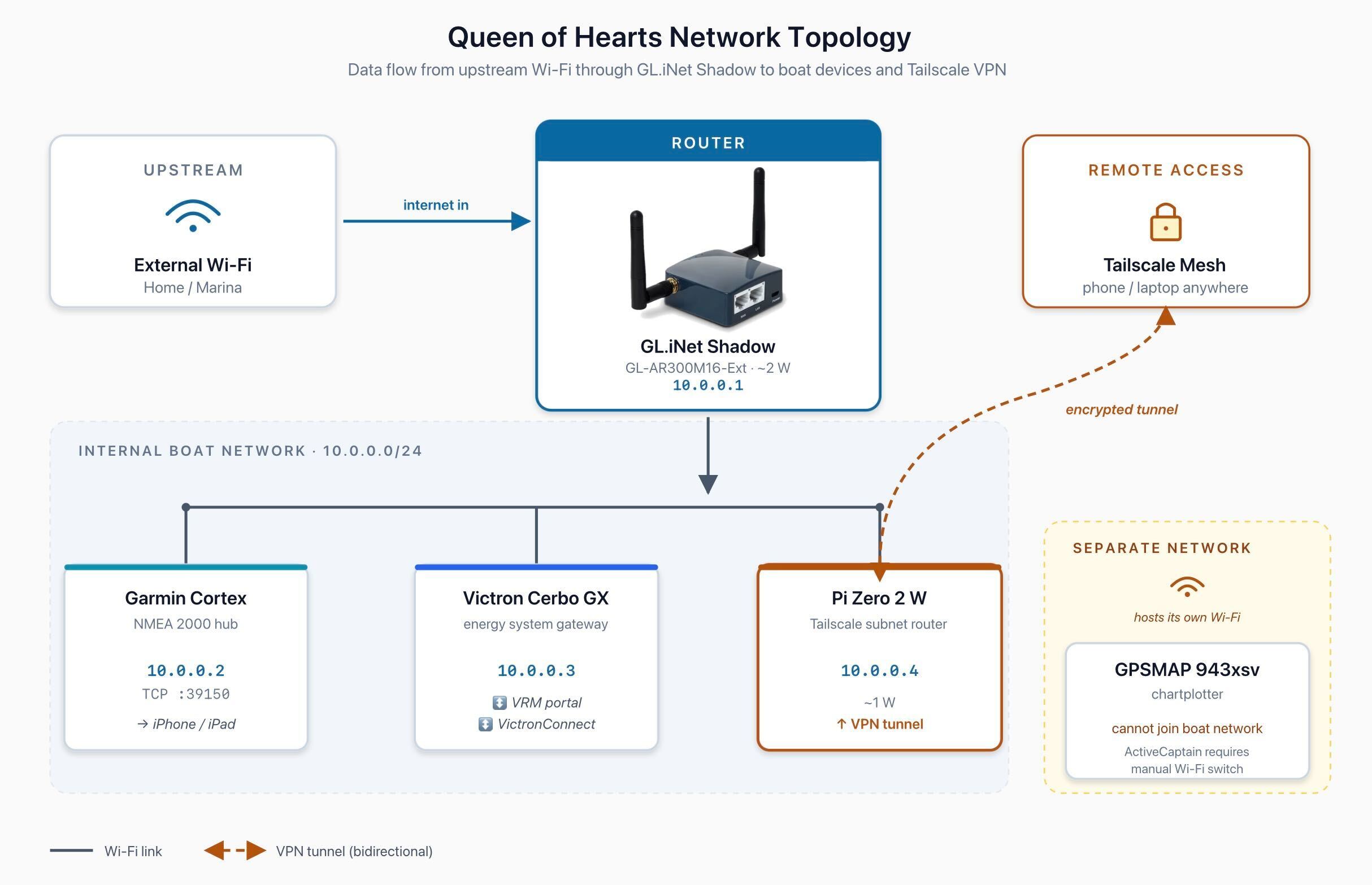
Network topology: Marina/Home Wi-Fi → GL.iNet Shadow → Internal Wi-Fi → Devices + Pi Zero 2 W (via Wi-Fi) → Tailscale VPN
GL.iNet Shadow
I chose the GL.iNet Shadow specifically for its extremely low power consumption (about 2W) and its ability to both join an external Wi-Fi network and create its own internal network simultaneously. It pulls internet from whatever upstream network it connects to and shares it to everything on the boat. Static IPs work reliably, keeping all devices communicating properly.
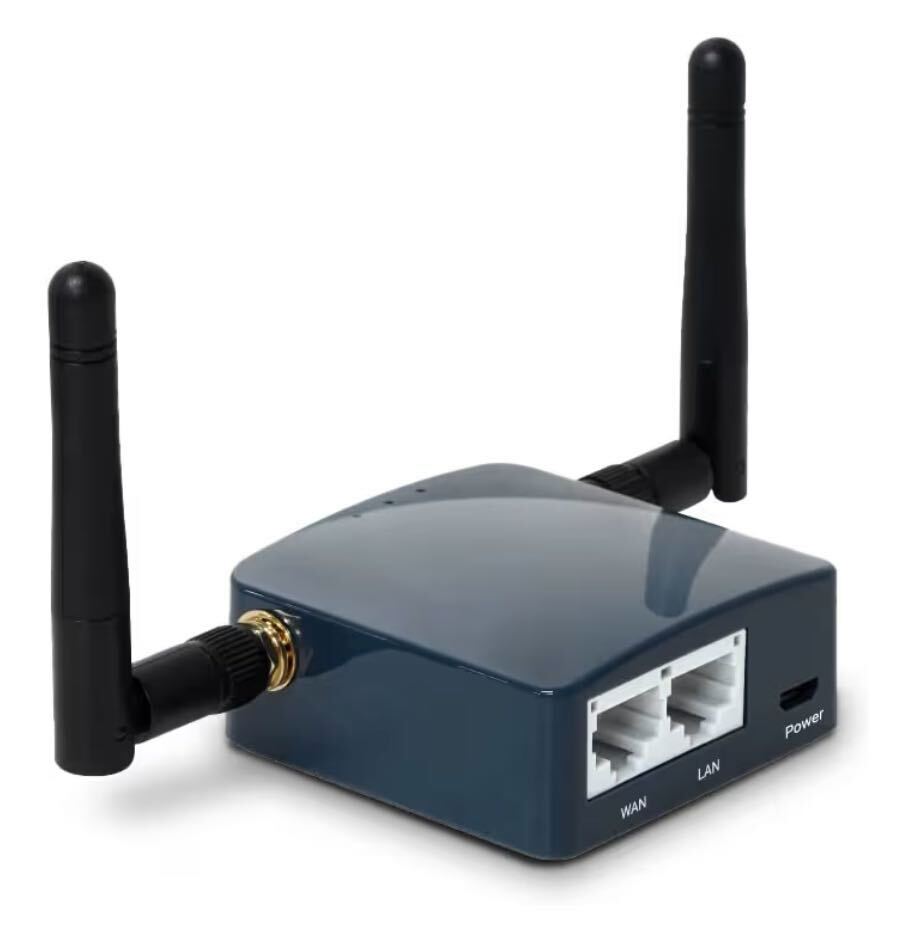
The GL.iNet Shadow router.
One major benefit of this setup is network stability when switching upstream networks. When I move from home Wi-Fi to marina Wi-Fi (or any other network), I only need to point the GL.iNet router to the new upstream Wi-Fi. There's no need to change IP addresses or individual settings on any downstream devices. All my devices recognize and stick with the boat's internal network at all times, which makes transitioning between locations seamless.
Tailscale on Raspberry Pi Zero 2 W
For VPN access, I initially considered installing WireGuard directly on the GL.iNet Shadow. However, during testing it significantly impacted the router's performance. Additionally, I had some configuration trouble getting WireGuard to properly allow connections to devices on the downstream network. I decided a dedicated device would perform better, and I'm a fan of Tailscale's ease of use.
I deployed a Raspberry Pi Zero 2 W running Tailscale. I purchased a kit for $54.99 that included the Pi, a case, and the essentials. The Pi connects to the GL.iNet's internal Wi-Fi in client mode, reaching the internet and tunneling Tailscale traffic. Tailscale creates a secure tunnel to any device on the boat's network from wherever I happen to be.
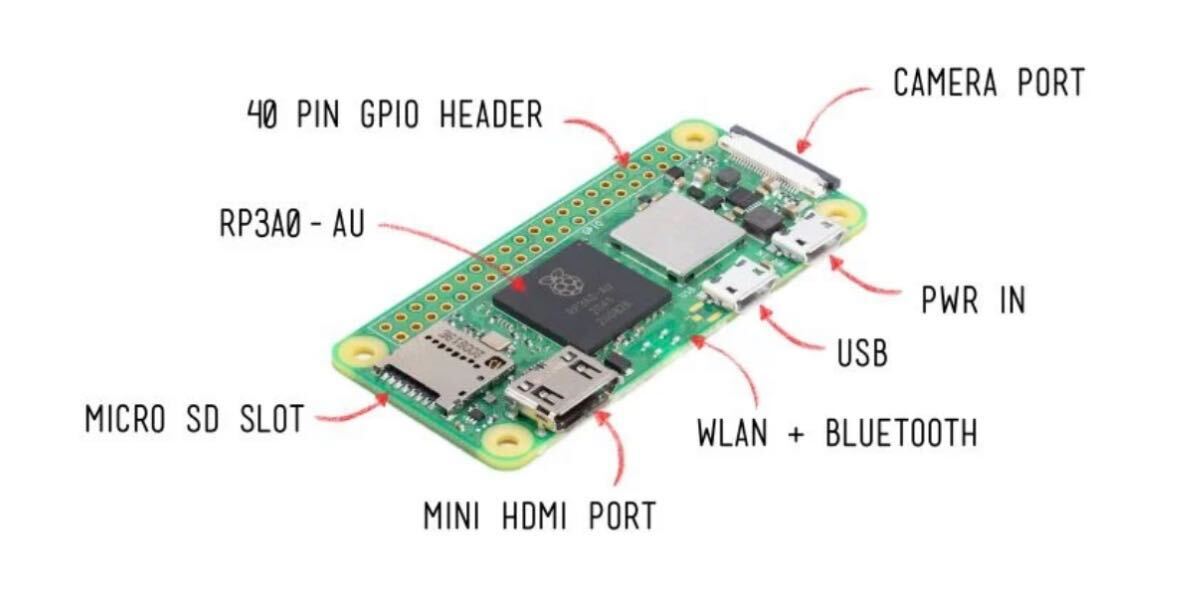
The Raspberry Pi Zero 2 W running Tailscale.
What's on the Network
Having the Cerbo online enables remote access to all my Victron devices through VRM portal and the Victron Connect app. This includes my Multi Plus II inverter/charger, BMV-712 battery monitor, SmartSolar MPPT charge controller, Orion XS DC-DC charger, and my Epoch 460Ah V2 T lithium batteries with Victron communication. All of this is accessible remotely through the VRM dashboard.
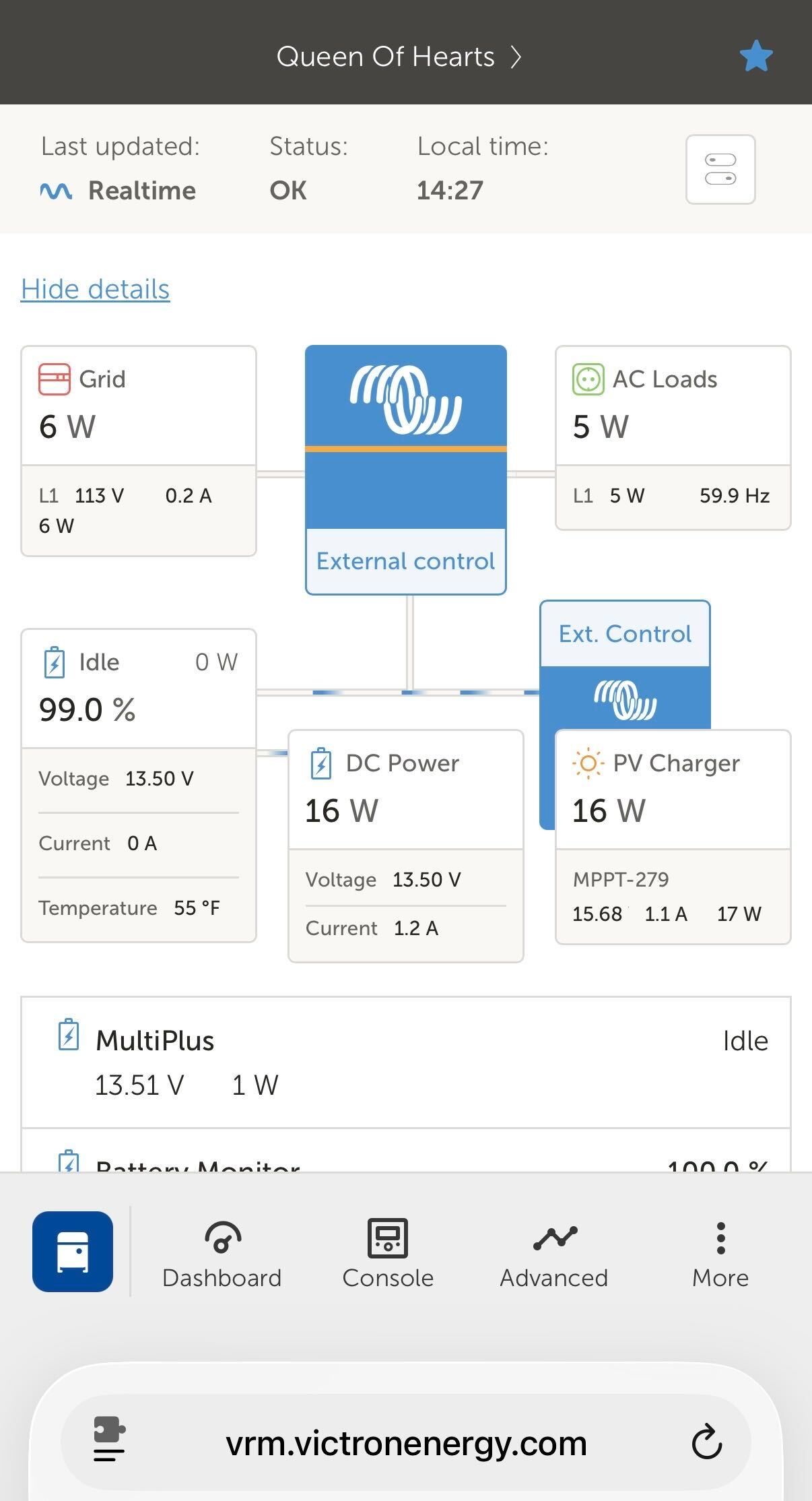
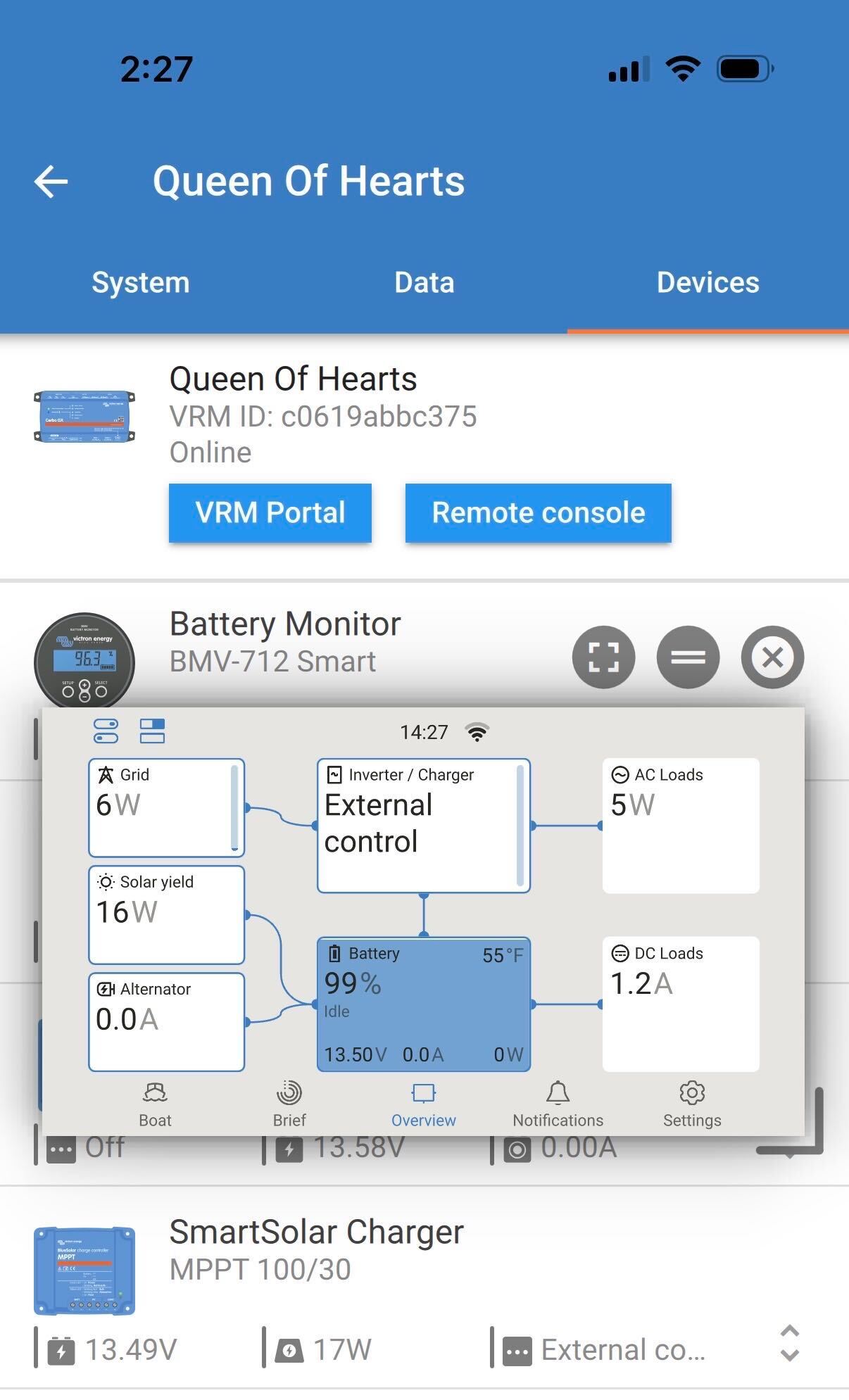
VRM portal (left) and Victron Connect app (right) showing all connected devices.
Without a dedicated router, the Cerbo has no path to the internet and VRM goes dark.
Power Consumption
The GL.iNet Shadow and Raspberry Pi Zero 2 W are both designed for minimal power draw. Together, they represent the lowest power solution available for a proper boat network with VPN capability that I could come up with. Both run on 5V via micro USB, powered by simple 12V to 5V buck converters connected to the boat's 12V bus. I chose buck converters specifically because typical 12V USB adapters often have LED lights, voltage displays, and other features that add unnecessary parasitic draw. The buck converter approach is the lowest power, simplest solution.
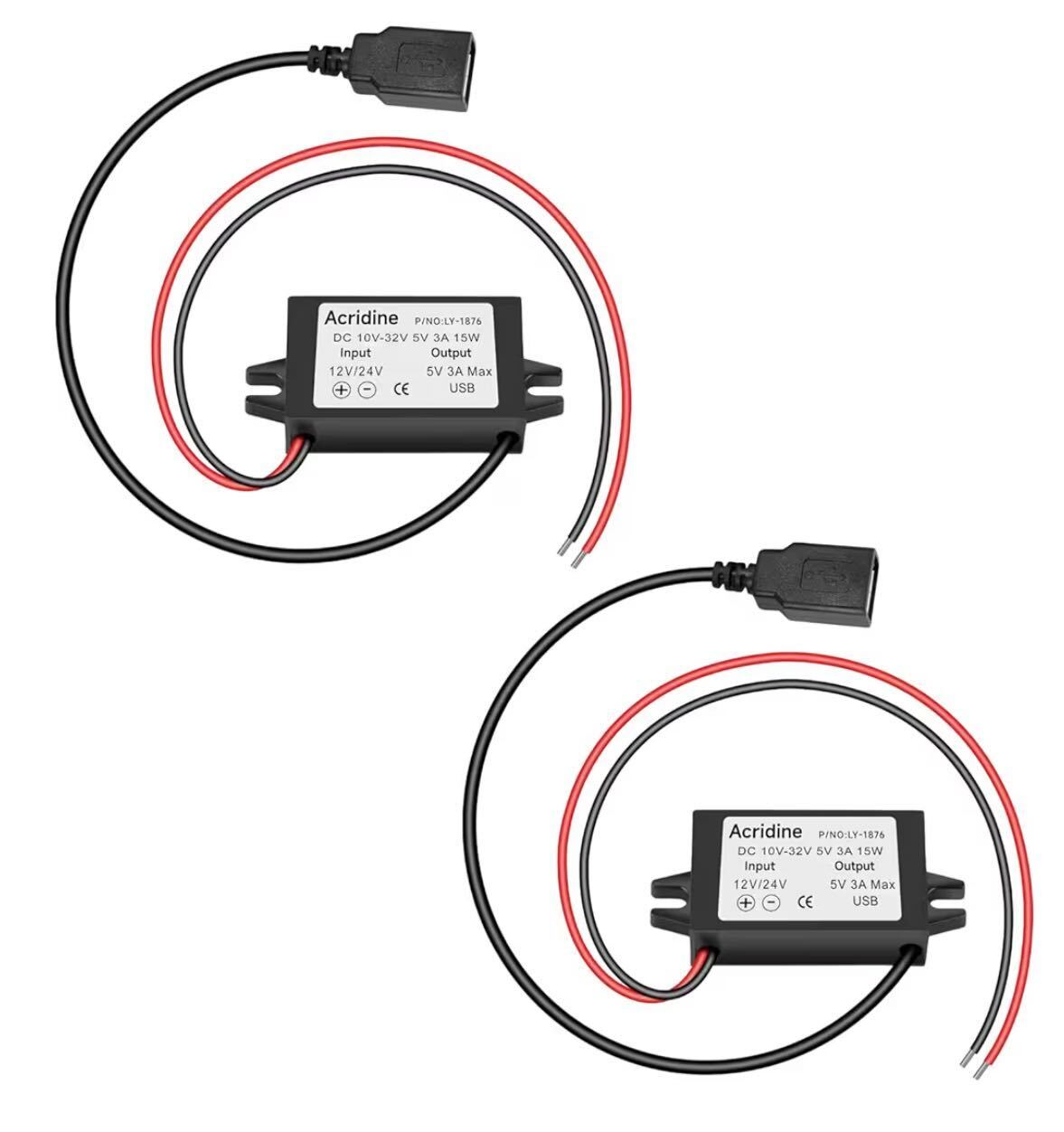
12V to 5V converters powering the GL.iNet Shadow and Pi Zero 2 W from the boat's 12V bus.
| Device | Power Draw |
|---|---|
| GL.iNet Shadow | ~2 W |
| Raspberry Pi Zero 2 W | ~1 W |
| Total | ~3 W |
Cost Breakdown
- GL.iNet GL-AR300M16-Ext (Shadow): $38.99
- Raspberry Pi Zero 2 W kit (Vilros): $54.99
- 12V to 5V buck converters (2-pack): $12.99
- USB-A to micro USB cables (2-pack): $7.99
- SanDisk Extreme PRO microSD (32GB): $31.99
Total: approximately $146.96
This setup provides reliable, low-power networking for all boat devices whether at the dock, at anchor, or anywhere in between. Total power draw is minimal, which is essential when living off the battery.
Note: This is not an internet solution for use at anchor where there's no external Wi-Fi. However, the setup is flexible enough to accommodate future options like adding a cellular data device, having the router join a phone hotspot, or installing Starlink (or other satellite internet) when prices come down further.
The One Thing It Doesn't Fix
This solution handles nearly all networking needs, with one exception: my Garmin GPSMAP 943xsv can only host its own Wi-Fi network as an access point (AP) and cannot join an existing one as a client. Any device using the ActiveCaptain app to control the chartplotter, apply updates, or sync maps must temporarily switch Wi-Fi networks and then switch back. I wish Garmin would add client mode. Until then, a Shortcuts app button handles the switch with a single tap.
If you've found a better solution for this problem, I'd love to hear about it. Get in touch.
Update: GL.iNet Beryl AX vs. Shadow
For better range and a faster connection, I swapped the original Shadow router with a newer GL.iNet Beryl AX (MT3000). While the Beryl AX is a more powerful WiFi 6 router, I found its power consumption to be only about 0.1 amps higher than the Shadow. Given the negligible power increase, the significantly improved performance makes the Beryl AX the clear winner for this setup.